




Find your panel
Which panel is right for me? →
Four quick questions. One recommendation.
By treatment area
Face & neck
Tabletop or MitoGLOW
Half body
750 series
Full body
1500 series · Mega
Multi-panel arrays
Up to 2,016 LEDs
Compare all panels
Side-by-side specs →
Shop all lights →

#1 seller
MitoPRO X
Medical-Grade. Precisely Engineered. Combines 6 precision wavelengths with elegant controls and app integration, delivering clinical-level performance.
from $449

MitoADAPT 4.0
Only available from Mito Red, the patent-pending MitoADAPT 4.0 Series with TruDUAL™ chip EIGHT-wavelength design, multi-circuit design provides an incredible ELEVEN different possible modes.
from $549

MitoPRO+
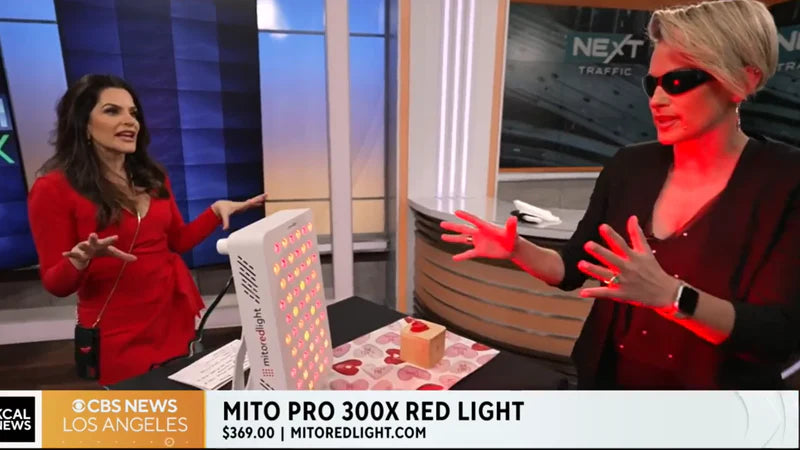
4 purposeful wavelengths, exceptional power, all at unbeatable value. Exceptional build quality, professional red light therapy at unbeatable value
from $369

MitoGLOW™
4-wavelength, FDA-cleared LED mask for anti-aging, acne, and radiant skin at home.
from $499

MitoMIND™
Unlock your brain's full potential. 256 LEDs deliver clinically studied 810nm NIR transcranial photobiomudulation.

MitoGREEN™
The world's first and only 520nm green, red and NIR device. Narrowband green light has been clincially studied for headache relief.
coming soon

MitoPETS™
Veterinary red light

MitoMIN 2.0
60 LEDs, 660nm and 850nm - Incredible Value and Exceptional Quality
from $249

best value
MitoMID 2.0
100 LEDs, 660nm and 850nm - Half body panel
from $449

MitoMAX 2.0
200 LEDs, 660nm and 850nm - Full body panel - Great for Hanging on Door
from $749

MitoMEGA 2.0
300 LEDs, 660nm and 850nm - Largest Panel in the Series
from $1,049
660nm + 850nm · ETL certified · BSCI certified · 2-year warranty. Same build quality as flagship — a more accessible entry point.

Free US shipping on all orders
HSA / FSA eligible
60-day returns
FDA Class II registered
40,000+ customers
BioPhotonic Skincare™
Formulated to work with light — not just alongside it. Young Goose collab. EWG Green. Made in USA.
Face & neck
MitoAURA™ Serum
Body sessions
MitoAURA Complete System
Scalp & hair
MitoAURA™ Scalp Serum
2025 Beauty Innovations Award Winner - Patent-pending 4-wavelength, FDA-cleared LED mask for anti-aging, acne, and radiant skin at home.
MitoGLOW™
Shop all skincare →
Products
 BEST VALUE

 COMING SOON
MitoAURA 3-Step System Includes
COMING SOON
MitoAURA 3-Step System Includes
 STEP 1
 STEP 2
 STEP 3
BEST VALUE
MitoAURA Complete System
MitoAURA 3-Step System is the first skincare protocol engineered to work with your red and near-infrared light therapy sessions, not just alongside them.
from $93.00
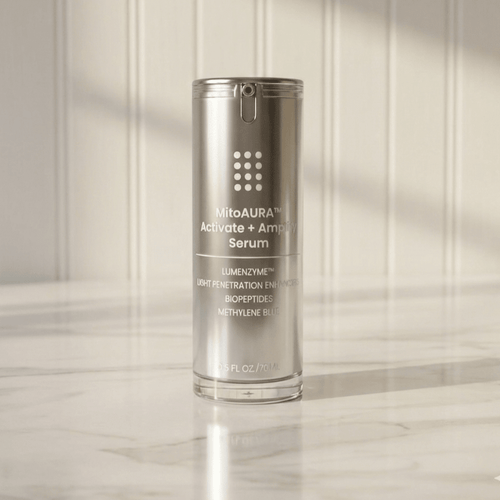
Activate + Amplify Serum
Light-responsive serum with Spirulina, Lumenzyme™ & Methylene Blue - level up every red light session for firmer, glowing skin
from $39
MitoGLOW™ Mask
2025 Beauty Innovations Award Winner - Patent-pending 4-wavelength, FDA-cleared LED mask for anti-aging, acne, and radiant skin at home.
from $499
COMING SOON
Scalp & Hair Serum
Scalp · light-responsive formula
STEP 1
MitoAURA™ Gentle Cleanser
Gently cleanses without stripping skin's natural moisture.from $25.00
STEP 2
MitoAURA™ Prime Pre-LED Serum
Helps prepare and condition skin for red light therapy.from $39.00
STEP 3
MitoAURA™ Seal Post LED Moisturizer
Helps lock in moisture and support long-lasting hydration.from $39.00

EWG Green rated — all ingredients
Made in USA
Vegan & cruelty-free
Developed with Young Goose
Free US shipping
Portable devices
Wearable belt
MitoQUAD™ Belt
Full body mat
MitoPOD™
Portable panel
MitoPRO Mobile
Shop all portable →
Portable lineup


new flagship
MitoPRO Mobile
5-wavelength portable powerhouse with pulse mode, ambient light, built-in stand and UL listed battery — pro light therapy anywhere, any time.
Shop now

MitoQUAD™ Belt
The only medical-grade red light belt with 4 wavelengths and TriChip™ technology. An incredible 1,215 led chips per belt. HSA/FSA eligible, untethered therapy.
from $349

MitoPOD™
The coziest red light therapy you will ever expereince, first and only UL medical grade red ligh pod with an 2,320 LED diodes housing a total of 6,960 LEDs!
from $1,699

MitoBOOST™
Intranasal · red, blue, NIR · MitoBUDS
from $299

Portable and travel-friendly
Premium MitoPRO performance
60-day returns
Free US shipping